Compare models
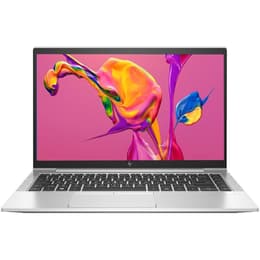
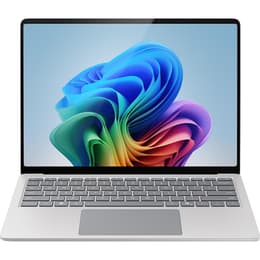
HP EliteBook 845 G7 14" vs Microsoft Surface Pro 9 13"
- 1-year warranty
- Free standard shipping
- Free 30-day returns
Differences at a glance
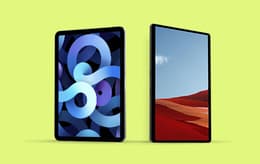
The HP EliteBook 845 G7 (2020) and the Microsoft Surface Pro 9 (2022) represent two distinct approaches to portable computing: a traditional, productivity-focused clamshell laptop and a versatile 2-in-1 detachable tablet. While the HP EliteBook prioritizes a classic keyboard-and-hinge layout built for extended desk work, the Surface Pro 9 offers a flexible hybrid design that transitions seamlessly between a tablet and a laptop. Both machines run on modern operating systems capable of handling daily professional tasks, but their physical form factors and hardware architectures cater to fundamentally different everyday workflows.
Available Models
Storage (GB)
Processor
Memory (GB)
Scores
Durability
When evaluating the longevity and structural support of these two devices, considerations include software updates, physical wear, and overall repairability for long-term usage.
- Software Support: Both devices receive regular operating system updates and security patches, though the newer release date of the Surface Pro 9 provides an extended timeline for future software compatibility.
- Build and Repairability: The HP EliteBook 845 G7 features a modular aluminum chassis that allows for straightforward component servicing, whereas the glued assembly of the Surface Pro 9 makes internal repairs more challenging.
- Expected Lifespan: Users can expect several years of reliable daily performance from either machine, with the EliteBook favoring long-term hardware serviceability and the Surface Pro emphasizing portable versatility.
Release Year
2020
2022
OS
Windows 11
Windows 11
Performance
Performance capabilities vary based on internal hardware configurations, storage options, and thermal management during intensive multitasking.
- Multitasking and Responsiveness: Both devices handle web browsing, document editing, and video conferencing smoothly, supported by generous memory configurations that prevent slowdowns during heavy workloads.
- Storage and Battery: Solid-state drive options provide fast file transfers on both models, while battery behavior differs due to form factor constraints, with the traditional laptop design often accommodating larger capacity cells for extended unplugged use.
- Thermal Efficiency: The larger chassis of the EliteBook allows for sustained performance under heavy loads, whereas the compact tablet frame of the Surface Pro 9 may throttle processing speeds earlier during prolonged demanding tasks.
Graphic card
Integrated Graphics
Integrated Graphics
Screen quality
Display characteristics define the visual experience, impacting clarity, color accuracy, and usability under various lighting conditions.
- Display Technology: The Surface Pro 9 features a high-resolution pixel-dense touch panel with a taller aspect ratio suited for document reading, while the EliteBook 845 G7 utilizes a traditional matte or glossy widescreen panel designed to reduce glare.
- Brightness and Outdoors: Both screens offer adequate brightness levels for indoor office environments, though glossy coatings on touch-enabled displays can introduce reflections in direct sunlight.
- Refresh Rate: The Surface Pro 9 includes an elevated refresh rate option for smoother scrolling and pen input interactions, whereas the EliteBook maintains a standard refresh rate sufficient for general productivity.
Resolution
1920 x 1080
1920 x 1200
Screen type
IPS
LED
Audiovisual
Multimedia components, including webcams, microphones, and speakers, shape the remote communication and media consumption experience.
- Camera Systems: The Surface Pro 9 is equipped with high-resolution front and rear cameras optimized for video calls and quick scanning, while the EliteBook focuses on a single, reliable webcam tailored for remote meetings.
- Audio and Microphones: Both devices integrate clear microphone arrays with background noise reduction alongside stereo speakers that deliver adequate voice clarity for calls and casual media playback.
- Media Consumption: Users watching videos will find balanced sound profiles on both machines, though neither replaces dedicated external speakers for deep bass reproduction.
Miscellaneous
Practical physical attributes and connectivity options dictate how easily each device integrates into mobile or desktop workspaces.
- Ports and Connectivity: The HP EliteBook 845 G7 provides a diverse selection of built-in physical ports including traditional USB-A and HDMI connections, whereas the Surface Pro 9 relies primarily on versatile USB-C ports requiring adapters for legacy accessories.
- Dimensions and Weight: The Surface Pro 9 offers a lighter, highly portable footprint when used without its keyboard cover, while the EliteBook delivers a rigid, all-in-one clamshell structure that rests easily on various surfaces.
- Security Sensors: Both models incorporate advanced biometric identification features, including facial recognition and optional fingerprint sensors, to streamline secure logins.
Weight
112 oz
1 oz
Screen size
14
13
What the community thinks
User feedback from online communities highlights distinct advantages for each device depending on daily routines and workspace preferences. Owners of the HP EliteBook 845 G7 frequently praise its comfortable keyboard, robust physical port selection, and reliable performance during long office hours. Conversely, users favor the Microsoft Surface Pro 9 for its exceptional screen clarity, lightweight tablet portability, and intuitive touch and stylus integration. Common criticisms for the EliteBook focus on its heavier clamshell footprint, while Surface Pro 9 users occasionally note that typing on a detachable keyboard on the lap requires some adjustment.
Users prioritizing a traditional lap-friendly typing experience with built-in ports may prefer the HP EliteBook 845 G7, while users who value a lightweight, detachable screen for drawing and note-taking will find the Microsoft Surface Pro 9 well-suited to their needs. For those considering an eco-friendly, quality-assured alternative, exploring refurbished versions of these models provides a sustainable choice that extends device lifecycles without compromising performance. Selecting the right device ultimately depends on whether a classic laptop workflow or a flexible hybrid tablet aligns best with daily travel and productivity goals.