Compare models

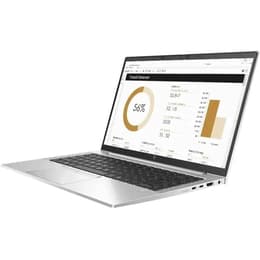
Dell Latitude 7490 14" vs HP EliteBook 840 G8 14"

  • 1-year warranty
  • Free standard shipping
  • Free 30-day returns
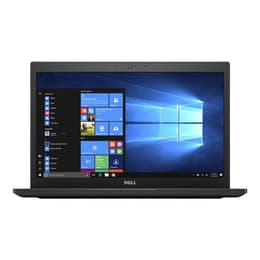
Dell Latitude 7490 14"
Starting at

Refurbished price:$222.54

Versus $699.99 new

See options
HP EliteBook 840 G8 14"
Starting at

Refurbished price:$309.39

Versus $599.99 new

See options

Differences at a glance

The Dell Latitude 7490 (2018) and the HP EliteBook 840 G8 (2021) are reliable 14-inch business laptops designed for professional and academic workflows. While both models run on the Windows operating system and prioritize enterprise durability, the HP EliteBook 840 G8 features a newer generation of internal hardware and a more modern chassis design compared to its older Dell counterpart.

Available Models

Storage

Processor

Memory

Scores

Durability

When evaluating structural longevity and software support, both laptops reflect their respective release timelines while remaining capable daily drivers.

    Release timeline and support: The HP EliteBook 840 G8 benefits from a more recent release date, allowing it to receive current operating system updates and security patches for a longer overall duration than the Dell Latitude 7490.
    Repairability and build: Both models feature serviceable internal components and business-grade chassis designs that allow technicians to replace batteries, storage drives, and memory modules relatively easily.
    Expected lifespan: Users can expect solid multi-year functionality from both machines, though the newer internal components of the HP model offer slightly extended future readiness for modern software environments.

Release Year

2017

2021

OS

Windows 11

Windows 11

Performance

Processing power and memory handling differ notably due to the generation gap between the two hardware platforms.

    Everyday responsiveness: The HP EliteBook 840 G8 utilizes newer processing architecture that handles heavy multitasking, large spreadsheets, and video conferencing with noticeable fluidity, whereas the Dell Latitude 7490 manages standard office productivity and web browsing efficiently.
    Memory and storage: Both laptops support configurable solid-state storage and dual-channel memory slots, allowing users to load applications rapidly and switch between multiple open windows without significant system lag.
    Thermal efficiency: Each device maintains quiet operation during routine tasks, though intensive workloads may cause the cooling fans to activate more frequently on the older Dell architecture.

Graphic card

Integrated Graphics

Integrated

Screen quality

Display configurations on both laptops focus on clarity, anti-glare properties, and comfortable extended viewing.

    Panel technology: Both models are equipped with 14-inch Full HD resolution panels utilizing IPS technology, delivering wide viewing angles and accurate color reproduction for documents and media.
    Outdoor visibility: Maximum brightness levels on both screens are well-suited for indoor office environments, though working directly under bright sunlight or near intense light sources may require positioning adjustments.
    Visual experience: The HP EliteBook 840 G8 incorporates slightly slimmer bezels for a contemporary look, while the Dell Latitude 7490 retains a slightly more traditional border profile around the display area.

Resolution

1920 x 1080

1920 x 1080

Screen type

IPS

LCD

Audiovisual

Multimedia features on these professional laptops are tailored primarily for remote meetings and daily communication.

    Webcam performance: Both laptops feature integrated webcams and dual-array microphones suitable for video calls, capturing clear audio and acceptable video quality under standard indoor lighting conditions.
    Audio output: The HP EliteBook 840 G8 features stereo speakers tuned to deliver balanced voice clarity and moderate volume, whereas the Dell Latitude 7490 provides adequate sound output for speech and casual media playback.
    Media consumption: Neither device is built for immersive entertainment, but both handle routine video streaming and conference calls reliably.

Miscellaneous

Physical design elements and connection ports dictate how each laptop integrates into a mobile or desktop workspace.

    Port selection: The Dell Latitude 7490 includes a comprehensive array of legacy and modern ports, such as a traditional Ethernet jack and full-sized USB connections, while the HP EliteBook 840 G8 leans into slimmer USB-C and Thunderbolt integration alongside standard USB ports.
    Portability and weight: The HP EliteBook 840 G8 features a lightweight aluminum chassis that is slightly slimmer to carry in a backpack, compared to the slightly heavier, carbon-fiber reinforced build of the Dell Latitude 7490.
    Security features: Both devices offer enterprise-level security inclusions, such as integrated fingerprint readers and Trusted Platform Module capabilities for secure data encryption.

Weight

49 oz

112 oz

Screen size

14

14

What the community thinks

User feedback across community forums highlights distinct preferences for each of these reliable 14-inch business machines. Owners of the Dell Latitude 7490 frequently praise its comfortable keyboard layout, sturdy carbon-fiber construction, and abundant port variety that eliminates the need for dongles. Common discussions note that its older processor architecture shows limitations during demanding creative workflows. Meanwhile, users of the HP EliteBook 840 G8 appreciate its sleek aluminum chassis, modern connectivity standards, and responsive daily performance, though some point out that the display brightness could be higher for outdoor use.

When choosing between the two, users prioritizing extensive legacy ports and a rugged, traditional corporate build may prefer the Dell Latitude 7490. Conversely, users prioritizing a more modern internal processor generation and a lighter aluminum profile often lean toward the HP EliteBook 840 G8. Quality-assured refurbished options for both models provide an eco-friendly alternative that extends device lifecycles while reducing electronic waste. Ultimately, the right choice depends on individual workflow demands and a preference for either legacy connection versatility or updated internal efficiency.
Our recent comparisons