Compare models

HP EliteBook 840 G8 14" vs Microsoft Surface Pro 9 13"

  • 1-year warranty
  • Free standard shipping
  • Free 30-day returns
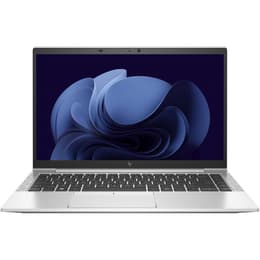
HP EliteBook 840 G8 14"
Starting at

Refurbished price:$280.99

Versus $575.98 new

See options
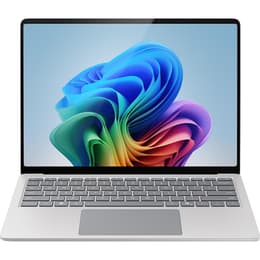
Microsoft Surface Pro 9 13"
Starting at

Refurbished price:$816.00

Versus $899.99 new

See options

Differences at a glance

The HP EliteBook 840 G8 14" (2021) and the Microsoft Surface Pro 9 13" (2022) represent two distinct approaches to portable productivity laptops and hybrid devices. While the EliteBook follows a traditional clamshell laptop design optimized for corporate environments, the Surface Pro offers a versatile detachable tablet form factor. A primary differentiator between these two systems lies in their physical structure and how users interact with the screen on a daily basis.

Both machines operate on modern operating system software capable of handling standard enterprise applications, though their hardware interaction methods diverge significantly. This comparison examines how each device handles everyday professional tasks, mobility, and screen interaction to help users determine which form factor aligns with their workflow.

Available Models

Storage (GB)

Processor

Memory (GB)

Scores

Durability

When evaluating hardware longevity and support cycles, both devices offer robust build qualities designed for multi-year professional deployment, though their physical repair structures differ. Here is how their durability and lifecycle maintenance compare:

  • Software support timelines: Both computers receive regular operating system updates and security patches, aligning with standard enterprise lifecycles that span several years of active corporate or personal use.
  • Build architecture and repairability: The HP EliteBook features a traditional metal laptop chassis with modular internal components, whereas the Microsoft Surface Pro utilizes a compact tablet layout where components are more tightly integrated.
  • Expected practical lifespan: Both units handle daily commuting and office work reliably over extended periods, though traditional laptops often allow for simpler battery replacements after years of heavy utilization.

Release Year

2021

2022

OS

Windows 11

Windows 11

Performance

Underneath their exteriors, both devices manage multitasking, office applications, and web browsing efficiently, though they cater to different operational styles. The core performance and storage characteristics break down as follows:

  • Multitasking and processing responsiveness: Both systems handle heavy browser usage, document editing, and video conferencing smoothly, maintaining consistent speed during typical workday loads.
  • Storage and memory configurations: Both models offer solid-state storage options for rapid file access and sufficient memory allocations to run multiple business applications simultaneously without noticeable slowdowns.
  • Thermal management and battery behavior: The EliteBook relies on traditional internal cooling fans for sustained workloads, while the Surface Pro manages power within a thin tablet chassis, meaning battery endurance can vary depending on display brightness and processor strain.

Graphic card

Integrated Graphics

Integrated Graphics

Screen quality

Display characteristics differ notably between the two options, influencing how users consume media, read text, and interact with visual content. The primary display attributes include the following considerations:

  • Panel technology and touch capabilities: The Microsoft Surface Pro features a high-resolution touchscreen optimized for stylus input and tablet-style navigation, while the HP EliteBook utilizes a traditional non-touch or touch-optional matte panel built for anti-glare office work.
  • Brightness and outdoor visibility: Both screens provide sufficient luminance for indoor office environments, though glossy tablet glass panels may require careful positioning under direct lighting compared to matte laptop screens.
  • Size and workspace dimensions: The EliteBook offers a traditional 14-inch widescreen layout suited for side-by-side window multitasking, whereas the Surface Pro provides a slightly more compact 13-inch display with a taller aspect ratio useful for reading documents.

Resolution

1920 x 1080

1920 x 1200

Screen type

LED

LED

Audiovisual

Communication features and media output play a central role in modern remote collaboration. The audio-visual capabilities of both devices present distinct practical advantages:

  • Video conferencing equipment: Both models include integrated webcams and microphone arrays designed to capture clear audio and video for virtual meetings and online lectures.
  • Speaker output and audio clarity: The internal speakers on both devices deliver balanced sound quality adequate for voice calls, webinars, and casual media playback without requiring external headphones.
  • Secondary camera utility: The Surface Pro includes a rear-facing camera tailored for capturing documents or workspace snapshots in tablet mode, a feature absent in the traditional clamshell layout of the EliteBook.

Miscellaneous

Physical dimensions, connectivity ports, and input peripherals define the daily portability and ergonomic experience of each device. The practical physical traits include:

  • Port selection and connectivity: The EliteBook incorporates a wide array of built-in legacy ports and USB Type-C connections without requiring adapters, whereas the Surface Pro relies primarily on compact connection ports and specialized accessories.
  • Input peripherals: The EliteBook features a built-in mechanical keyboard and trackpad, while the Surface Pro uses a detachable keyboard cover that alters the overall depth and typing angle.
  • Portability and weight: Both devices are engineered for frequent travelers, with the Surface Pro offering ultra-light tablet mobility and the EliteBook providing a sturdy, self-supporting laptop frame. Choosing a quality-assured refurbished option from Back Market allows users to acquire either model as an eco-friendly, reliable alternative for daily mobile computing.

Weight

3 oz

1 oz

Screen size

14

13

What the community thinks

Choosing between the HP EliteBook 840 G8 and the Microsoft Surface Pro 9 depends largely on whether a traditional laptop workflow or a flexible tablet experience is preferred. Users prioritizing a rigid clamshell design with built-in ports and a classic keyboard layout often find the EliteBook well-suited to desk-bound or lap-based office tasks. Conversely, users valuing maximum portability, touch interaction, and a detachable screen for drawing or note-taking frequently lean toward the Surface Pro. Both computers offer dependable performance for professional and academic environments, ensuring that diverse workflow needs are met effectively regardless of the chosen form factor.
Our recent comparisons