Samsung
Updated on August 31, 2026
August 31, 2026
22 mins read

Miguel G.
Sr. Tech Copywriter (US)
The best iPad for college depends on your coursework, study habits, and budget. For most students, the iPad Air M3 offers the best balance of performance, portability, and long-term value. Other models may be a better fit, though, if you want a budget-friendly option, a compact note-taking device, or more power for demanding coursework. This guide compares models to find the best iPad for students and explains how to choose the right one for your needs.

✨For most students, the iPad Air M3 is the best iPad for college. It offers the best balance of performance, portability, and long-term value, serving everything from note-taking and research tomultitasking and creative work. Students on a tighter budget should consider the iPad A16, while those who prioritize portability may prefer the iPad mini A17 Pro for handwritten notes and reading. Students in demanding fields like design, engineering, or video production may benefit from the extra power of the iPad Pro M5. When choosing an iPad for college, consider factors beyond the device itself, including storage, accessories, battery life, and Apple Intelligence support. For better future-proofing, a model with 256GB of storage is a safer storage choice, giving you more room for apps, lecture materials, files, and projects throughout your degree.
The best iPad for college isn't always the newest or most expensive model. You just need a device that fits your budget, supports your coursework, and stays useful throughout your degree. That's why we'veevaluated these iPads based on the things that matter most to student life: portability between classes, note-taking, keyboard compatibility, battery life, storage, performance, and long-term value. Our recommendations focus on real college scenarios, from annotating slides and reading PDFs to managing assignments and creative projects.
We've also considered refurbished iPads to give you more value for your budget. Choosing a refurbished model will provide you with the features you need while also being a more sustainable choice. So, whether you're looking for the best iPad for college students on a budget, a powerful option for demanding coursework, or a lightweight device for everyday note-taking, our guide helps you choose the right iPad for how you actually study.
Best iPad for college students
Best budget iPad for students
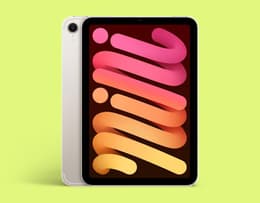
Best iPad for note-taking
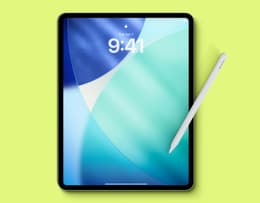
Best iPad for students who are power users
The choice of the best iPad for college depends on how you plan to use the device, as different models offer varying levels of performance, portability, and price. For most students, the best choice usually balances reliable performance, easy note-taking, long battery life, and a setup that fits their budget. We've reviewed the various iPads available so you don't need to, and our list features everything from budget-friendly iPads for everyday coursework and powerful models for demanding apps to lightweight options for easy note-taking.
✨The iPad Air M3 hits the sweet spot for most students, offering the ideal balance of performance, portability, and value. It gives students everything they need for years of study without the premium price tag of the iPad Pro.
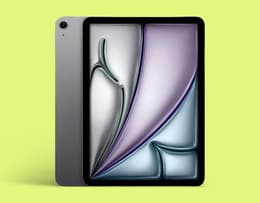
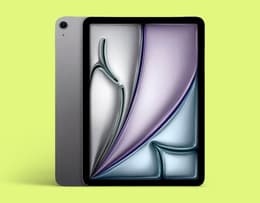
The iPad Air M3 is the best iPad for college students.
Pros ✅ | Cons ❌ |
|---|---|
Powerful M3 chip performance | No OLED or ProMotion display |
Excellent Apple Pencil experience | Not a full laptop replacement for every major |
Available in 11- and 13-inch sizes | Overkill for students with basic needs |
Supports Apple Intelligence | |
Works well with keyboard accessories |
The iPad Air M3 is the best iPad Air for college students who want a balance of performance, portability, and long-term value. It offers much of the power students need for taking notes, research, multitasking, and creative projects without the higher price of the iPad Pro. With support for Apple Pencil and Magic Keyboard, it can adapt from being a lightweight note-taking device into a laptop-like setup for working on essays, presentations, and demanding coursework.
For most students, the iPad Air M3 hits the sweet spot. Its M3 chip is powerful enough for everyday college tasks, including running multiple apps, editing photos and videos, using creative software, and handling AI-powered features through Apple Intelligence. The 11-inch model is especially easy to carry around campus, while the 13-inch version gives students more screen space for multitasking, reviewing documents, and working on larger projects.
If you want the newest version, the iPad Air M4 is a more powerful alternative. It offers improved performance, more memory, and enhanced AI capabilities, making it a great option for students in demanding fields like design, engineering, or video production. However, it comes at a higher price, and most students will find the iPad Air M3 already provides more than enough power for daily college life.
The biggest consideration with the iPad Air is the total cost of your setup. Adding an Apple Pencil and keyboard can increase the price, but these accessories are also what make an iPad more useful for collegefor everything from handwritten notes and PDF annotation to writing assignments and managing coursework. If the latest models feel outside of your budget, choosing a refurbished iPad Air can help you get the same powerful student-friendly experience for less.
Specifications | |
|---|---|
Chip | Apple M3 |
Display size | 11-inch, 13-inch |
Memory (RAM) | 8GB |
Storage | 128GB, 256GB, 512GB, 1TB |
Cameras | 12MP front, 12MP rear |
Battery life | Up to 10 hours |
Connectivity | Bluetooth 5.3, Wi-Fi 6, Wi-Fi 6E, Type-C, USB 3.1 |
Dimensions | 9.74 × 7.02 × 0.24 in, 11.05 x 8.46 x 0.24 in |
Weight | 1.01 lbs (16.23 oz), 1.36 lbs (21.76 oz) |
Colors | Space Gray, Starlight, Purple, Blue |
✨The iPad A16 is the best budget iPad for college students who need an affordable, portable device for notes, research, and everyday coursework.
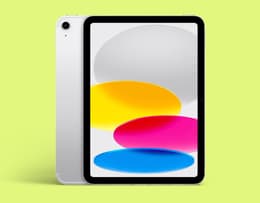
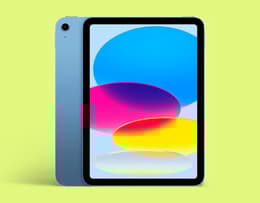
The iPad A16 (2025) is the best budget iPad for college students who need a reliable device for everyday coursework.
Pros ✅ | Cons ❌ |
|---|---|
Most affordable modern iPad | No Apple Intelligence |
Good performance for everyday tasks | No Apple Pencil Pro support |
128GB starting storage is practical for students | Less advanced display than iPad Air |
Portable 11-inch design | Limited laptop replacement potential |
Long battery life |
"For note taking, reviewing presentations and annotating class slide decks, 11inch A16 iPad with Apple Pencil and maybe an ESR keyboard. Mobile, good experience, affordable. 13" for laptop replacement experience in the Air. iPad Air in general is longevity and laptop replacement experience." – Reddit
The iPad A16 (2025) is the best budget iPad for college students who need a reliable device for everyday coursework without paying for features they may not use. It delivers enough performance for taking notes, writing essays, researching online, attending virtual classes, and managing assignments. It's also a practical choice for students who want an affordable way to enter Apple's ecosystem.
With its 11-inch Liquid Retina display and lightweight design, the iPad A16 is easy to carry between lectures and comfortable to use. It's ideal for reading textbooks, reviewing PDFs, and watching recorded lectures. Its A16 chip handles everyday student tasks smoothly, while the 128GB starting storage gives students more space for apps, documents, lecture materials, and downloaded resources than previousentry-level models.
For students who mainly need an iPad for school, the A16 covers the essentials. It works with Apple Pencil (USB-C) and Apple Pencil (1st generation), making it useful for handwritten notes and marking up lecture slides. Its all-day battery life also makes it practical for students moving between classes, libraries, and study sessions without needing frequent charging.
However, choosing the iPad A16 means accepting some trade-offs compared with the iPad Air. For example, it doesn't support the Apple Pencil Pro or Apple Intelligence, and it misses some of the premium features that make the Air a better long-term investment for students who need more advanced workflows. The display is also less advanced, and students who plan to use their iPad for creative work, demanding apps, or a laptop-like setup may benefit from upgrading to an iPad Air instead.
For most students on a budget, these compromises are reasonable. The iPad A16 offers the core experience for notes, research, and coursework at a lower cost, and choosing a refurbished iPad can further reduce the price. It's the right choice for students who want a dependable study companion without paying for performance they may never use.
Specifications | |
|---|---|
Chip | Apple A16 |
Display size | 11-inch |
Memory (RAM) | 6GB |
Storage | 128GB, 256GB, 512GB |
Cameras | 12MP front , 12MP rear |
Battery life | Up to 10 hours |
Connectivity | Bluetooth 5.3, Wi-Fi 6, Type-C, USB 2.0 |
Dimensions | 9.79 x 7.07 x 0.28 in |
Weight | 1.05 lbs (16.8 oz) – Wi-Fi model |
Colors | Silver, Blue, Pink, Yellow |
✨The iPad mini A17 Pro is the best iPad for note-taking because its pocket-friendly design makes it the easiest model to carry everywhere, and it still offers enough power for everyday student work.
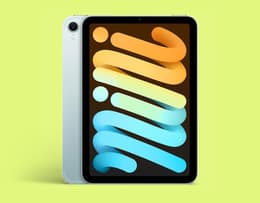
The iPad mini A17 Pro is the best iPad for students who want the most portable setup for handwritten notes.
Pros ✅ | Cons ❌ |
|---|---|
Smallest and most portable iPad | Small screen for multitasking |
Excellent for handwritten notes and PDFs | Not ideal as a laptop replacement |
Apple Pencil Pro support | No 120Hz ProMotion display |
Powerful A17 Pro performance | Expensive compared to the standard iPad |
Around 10 hours of battery life |
The iPad mini A17 Pro is the best iPad for students who want the most portable setup for handwritten notes, reading, and studying on the go. While larger models like the iPad Air offer more workspace, the mini's compact design makes it easier to carry everywhere, turning it into a digital notebook that is always ready for class.
With an 8.3-inch display and a weight of just 0.65 lbs, the iPad mini A17 Pro is the smallest and lightest iPad in Apple's lineup. Its size makes it comfortable to hold during long study sessions, easy to slip into smaller bags, and convenient for students who spend their days moving around campus. It also supports the Apple Pencil Pro, making it a great option for writing notes and sketching diagrams.
Despite its small size, the iPad mini A17 Pro doesn't compromise much on performance. Its A17 Pro chip can handle everyday college tasks, including research, note-taking apps, multitasking, and creative tools. It also supports Apple Intelligence features, giving students access to tools that can help with writing, summarizing information, and staying organized.
The trade-off is the smaller screen. The 8.3-inch display is excellent for notes and reading, but it can feel limiting when working with spreadsheets, large documents, split-screen multitasking, or lengthy assignments. It also lacks support for Apple's Magic Keyboard, so students who want an iPad that can replace a laptop for essays and extended typing may be better served by the iPad Air. A refurbished iPad mini A17 Pro can be a cost-effective choice for students who prioritize portability and want a lightweight device for note-taking, studying, and carrying between classes.
Specifications | |
|---|---|
Chip | Apple A17 Pro |
Display size | 8.3-inch |
Memory (RAM) | 8GB |
Storage | 128GB, 256GB, 512GB |
Cameras | 12MP front, 12MP rear |
Battery life | Up to 10 hours |
Connectivity | Bluetooth 5.3, Wi-Fi 6, Wi-Fi 6E, Type-C, USB 3.1 |
Dimensions | 7.69 x 5.31 x 0.25 in |
Weight | 0.65 lbs (10.4 oz) – Wi-Fi model |
Colors | Blue, Purple, Starlight, Space Gray |
✨The iPad Pro M5 is the best iPad for power users because it offers laptop-level performance, a premium display, and advanced accessories, but it's only an option if your coursework requires that extra power.
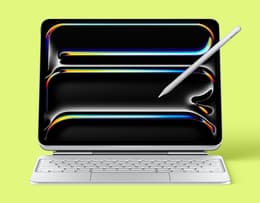
The iPad Pro M5 is the best iPad for college students who need maximum performance for demanding coursework.
Pros ✅ | Cons ❌ |
|---|---|
Powerful iPad for demanding student workflows | Expensive |
Excellent OLED display | Too powerful for most students |
Outstanding multitasking performance | Doesn't fully replace a MacBook for every major |
Best Apple Pencil experience | |
Premium, lightweight design |
"I think iPad Pro over the Air if she's serious about drawing. The Air is a great student tablet, but for an artist, the 120Hz ProMotion display on the Pro is a total game-changer. On the 60Hz Air screen, there's a tiny bit of pen lag where the line trails behind the tip. It's subtle, but once you feel the Pro's instant response, you can't go back. Plus, since this needs to last her all 4 years of uni, the M4 chip and OLED screen make it way more future-proof." – Reddit (quote from 2025, refers to iPad Pro M4. The current model uses the more powerful M5 chip).
The iPad Pro M5 is the best iPad for college students who need maximum performance for demanding coursework, creative projects, or professional-level apps. While most students will find the iPad Airoffers better value, the iPad Pro M5 is designed for those who need extra power for tasks like 3D design, video editing, illustration, or running multiple demanding apps at once.
Powered by Apple's M5 chip, the iPad Pro delivers performance closer to a high-end laptop than a traditional tablet. This makes it a strong choice for students in fields such as engineering, architecture, graphic design, film production, and computer science, where demanding software and faster processing can make a noticeable difference. The 11-inch and 13-inch models also offer students flexibility, with the smaller version easier to carry and the larger display providing more space for multitasking, reviewing documents, designing, or editing content.
The display is one of the iPad Pro M5's biggest advantages. Its Ultra Retina XDR tandem OLED screen offers excellent brightness, contrast, and color accuracy, making it particularly useful for creative students. The smooth ProMotion display also makes scrolling, drawing with Apple Pencil Pro, and navigating large projects feel more responsive.
For students who want an iPad that works more like a laptop, the iPad Pro M5 supports accessories such as the Apple Pencil Pro and Magic Keyboard. This setup can be useful for students who switch between handwritten notes, creative work, and typing assignments. However, it's worth remembering that accessories add significantly to the total cost of your setup.
The biggest trade-off with the iPad Pro M5 is that it offers more power than most students will ever need. For everyday college tasks like note-taking, browsing, writing essays, and watching lectures, the iPad Air M3/M4 is usually a better-value option. A refurbished iPad Pro can make more sense for students in demanding fields who need extra power for creative work, advanced multitasking, or specialized apps.However, even the most powerful iPad cannot fully replace a MacBook for every workflow, as some professional desktop applications and file management tasks remain better suited to macOS.
Specifications | |
|---|---|
Chip | Apple M5 |
Display size | 11-inch, 13-inch |
Memory (RAM) | 12GB, 16GB |
Storage | 256GB, 512GB, 1TB, 2TB |
Cameras | 12MP front, 12MP rear |
Battery life | Up to 10 hours |
Connectivity | Bluetooth 6.0, Wi-Fi 7, Wi-Fi 6E, Type-C, USB4/Thunderbolt |
Dimensions | 9.83 x 6.99 x 0.21 in, 11.09 x 8.48 x 0.24 in |
Weight | 0.98 lbs (15.73 oz), 1.28 lbs (20.53 oz) |
Colors | Silver, Space Black |
The best iPad for college: Specs compared | ||||
iPad Air M3 | iPad A16 (2025) | iPad mini A17 Pro | iPad Pro M5 | |
Back Market price | $530 | $378.67 | $399.99 | $947 |
Price of new | $599 – launch price (available refurbished) | $449 | $599 | $1,199 |
Chip | Apple M3 | Apple A16 | Apple A17 Pro | Apple M5 |
Display size | 11-inch, 13-inch | 11-inch | 8.3-inch | 11-inch, 13-inch |
Memory (RAM) | 8GB | 6GB | 8GB | 12GB, 16GB |
Storage | 128GB, 256GB, 512GB, 1TB | 128GB, 256GB, 512GB | 128GB, 256GB, 512GB | 256GB, 512GB, 1TB, 2TB |
12MP front, 12MP rear | 12MP front, 12MP rear | 12MP front, 12MP rear | 12MP front, 12MP rear | |
Battery life | Up to 10 hours | Up to 10 hours | Up to 10 hours | Up to 10 hours |
Connectivity | Bluetooth 5.3, Wi-Fi 6, Wi-Fi 6E, Type-C, USB 3.1 | Bluetooth 5.3, Wi-Fi 6, Type-C, USB 2.0 | Bluetooth 5.3, Wi-Fi 6, Wi-Fi 6E, Type-C, USB 3.1 | Bluetooth 6.0, Wi-Fi 7, Wi-Fi 6E, Type-C, USB 4/Thunderbolt |
Dimensions | 9.74 × 7.02 × 0.24 in, 11.05 x 8.46 x 0.24 in | 9.79 x 7.07 x 0.28 in | 7.69 x 5.31 x 0.25 in | 9.83 x 6.99 x 0.21 in, 11.09 x 8.48 x 0.24 in |
Weight | 1.01 lbs (16.23 oz), 1.36 lbs (21.76 oz) | 1.05 lbs (16.8 oz) – Wi-Fi model | 0.65 lbs (10.4 oz) – Wi-Fi model | 0.98 lbs (15.73 oz), 1.28 lbs (20.53 oz) |
Colors | Space Gray, Starlight, Purple, Blue | Silver, Blue, Pink, Yellow | Blue, Purple, Starlight, Space Gray | Silver, Space Black |
*Back Market prices taken at the date of publication — these are subject to change.
A college iPad should ideally last through your entire degree, not just your first year. While every student’s needs are different, the best long-term choice depends on the chip, Apple Intelligence support, storage, and how demanding your coursework becomes over time. All the featured models support recent iPadOS versions, but some offer more performance headroom for future updates and heavier workloads.
iPad model | Lifespan | Best suited for | Long-term value |
|---|---|---|---|
iPad Pro M5 | 5+ years | Students in demanding fields like design, engineering, video, architecture, or those who need professional-level performance. | The most powerful option with the most performance headroom, but it’soverkill for many students. A refurbished iPad Pro M5 can make more sense for students who want premium hardware without paying full price. |
iPad Air M3 | 4-5 years | Most students who want the best value without overspending. | A sweet spot for college use. It has enough power for notes, research, creative apps, and multitasking, while a refurbished model can offer better value than buying new. |
iPad A16 (2025) | 4-5 years | Budget-conscious students with basic needs. | A good entry point for note-taking, browsing, streaming, and assignments. However, the lack of Apple Intelligence support means it’s less future-proof than the Air models. |
iPad mini A17 Pro | 4-5 years | Students prioritizingportability and handwritten notes. | The compact design makes it easy to carry every day, while the A17 Pro chip keeps it capable for years. Its smaller display may be limiting for some students who rely heavily on split-screen multitasking or keyboard workflows. |
Choosing between an iPad and a MacBook for college depends on how you plan to use your device. An iPad is often the better choice for students who prioritize portability, handwritten notes, reading, and creative work, while a MacBook is usually the stronger option for students who need full desktop software, advanced multitasking, or a traditional laptop experience.
An iPad is a great fit for students who spend their days moving between lectures, libraries, and study sessions. Models like the iPad Air and iPad mini work especially well with Apple Pencil, allowing students to handwrite notes, annotate PDFs, sketch diagrams, and organize course materials in a way that feels closer to using a notebook. Apple also highlights the iPad's ability to support tasks such as PDF markup and the conversion of handwritten notes into text, making it a useful tool for many academic workflows.
An iPad can be a good laptop alternative for students whose work mainly involves:
Taking lecture notes
Reading textbooks and research papers
Writing short assignments
Watching lectures and attending online classes
Creative tasks such as drawing, design, or editing
If you're wondering if an iPad can replace a laptop, the answer depends on your course. For many students, an iPad with a keyboard can handle everyday college tasks, but it may not replace a laptop for every type of workload.
A MacBook is generally the better option for students who need a complete computer rather than a tablet with laptop-like features. macOS offers a more traditional desktop experience, better window management, and broader support for professional software.
A MacBook is usually the better choice for students studying degrees such as:
Computer science and programming
Engineering
Data science
Advanced research
Courses that require full desktop applications
A MacBook is also better suited to students who regularly write long essays, manage multiple browser windows, work with large files, or need a comfortable keyboard for extended typing sessions.
If you mainly need a device for… | Choose... |
|---|---|
Handwritten notes, PDFs, reading, and portability | iPad |
Digital art, design, and Apple Pencil workflows | iPad |
Long essays, coding, spreadsheets, and research | MacBook |
Professional software and complex multitasking | MacBook |
A lightweight device for everyday campus use | iPad |
✨The best iPad for college is the one that fits how you study, your budget, and your coursework — not simply the most expensive model on the market.
The best iPad for college in 2026 is not necessarily the most powerful model available. The right choice depends on how you plan to use it, whether you need a portable note-taking device, a laptop alternative, or a powerful tool for demanding coursework. Before choosing a model, consider your major, daily workflow, budget, and how long you want your iPad to last through your degree.
Start by thinking about what you will actually do with your iPad. Students who mainly need to take notes, read textbooks, annotate PDFs, attend online classes, and manage assignments may not need the most expensive model.
For many students, an iPad Air offers the best balance of performance and value. It's powerful enough for multitasking, creative apps, and everyday coursework, while still being portable enough to carry around campus.
However, students in demanding fields may benefit from a higher-end model. Design, architecture, engineering, film, and creative students who use intensive software may appreciate the extra performance and display quality of the iPad Pro. Meanwhile, students who prioritize portability for reading and handwritten notes may prefer the smaller iPad mini.
iPad size also affects how comfortable your device is to carry, write on, and use for multitasking.
11-inch: The best all-around size for most students. It offers enough screen space for notes, research, split-screen multitasking, and watching lectures, while remaining easy to carry.
13-inch: Better for students who want a larger workspace for design projects, detailed documents, creative work, or a more laptop-like experience.
8.3-inch mini: Best for students who prioritize portability. It's easy to carry between classes and works well as a digital notebook for handwritten notes, reading, and reviewing course materials.
A larger screen can improve productivity, but it also makes the device heavier and less convenient to carry around every day. The best iPad size depends on whether portability or workspace matters more to you.
"What storage should I get on an iPad for college?" is one of the most important decisions, as you will likely keep your iPad for several years of study. While 128GB is enough for many students who mainly usecloud storage, 256GB is a safer starting point for college. It gives you more room to save lecture recordings, PDFs, downloaded textbooks, apps, creative projects, and offline course materials without worrying about running out of space later. Students studying subjects that involve large files, such as photography, design, or engineering, may benefit from even higher storage capacity.
The iPad's price alone is only part of the total cost of your setup. Many students eventually add accessories that make the device more useful for school. A typical setup may include:
iPad only: Best for reading, browsing, streaming lectures, and basic coursework.
iPad + Apple Pencil: Ideal for handwritten notes, diagrams, annotations, and digital textbooks.
iPad + Apple Pencil + Magic Keyboard: Better for students who want a more laptop-like setup for essays, emails, and longer writing tasks.
These accessories can significantly increase the overall price, so factor them into your budget before choosing a model. However, students can often reduce the cost of an iPad through Apple Education Pricing, which offers special pricing for students and educators. Refurbished models, on the other hand, can help you stretch your budget further.
A refurbished iPad from Back Market can help you access higher-end models for less, making it easier to afford useful upgrades like more storage or an Apple Pencil without overspending.
A good college iPad should be easy to use throughout the day. Most current iPad models offer around 10 hours of battery life, which is enough for all-day lectures, study sessions, browsing, and note-taking without constantly searching for a charger.
Apple Intelligence can help you work more efficiently by proofreading essays, rewriting texts, summarizing research, and generating images or presentation content in apps like Pages, Numbers, and Keynote. Because these AI tools are built into iPadOS, they're available across compatible apps without requiring separate subscriptions.
Keep in mind that not every iPad supports Apple Intelligence, though. It's available on iPad Air and iPad Pro models with M1 chips or newer, as well as the iPad mini A17 Pro, but not on the iPad A16. If you'rebuying an iPad to last throughout college, choosing a compatible model can offer better long-term value.
Need to upgrade your tech for college? Your old smartphone, tablet, or other electronics could help cover the cost of your next device. With Back Market's trade-in program, you can trade in eligible devices and receive cash in your pocket. You can put this toward an iPad, accessories, or other school essentials. Trading in your old devices is also a more sustainable way to upgrade. Instead of leaving unused electronics in a drawer, giving them a second life reduces electronic waste and helps someone else access more affordable tech. Whether you're replacing an older tablet or clearing out devices you no longer use, trading in your old electronics at Back Market can help you save money on your next college iPad.
The best iPad for college is the one that matches your coursework, study habits, and budget, while giving you the performance, features, and long-term value you need throughout your degree. For most students, the iPad Air M3 offers the best balance of performance, portability, and long-term value, while the iPad A16 is a practical choice for students who need an affordable device for everyday coursework. The iPad mini A17 Pro is the best choice for students who prioritize portability and handwritten notes, and the iPad Pro M5 is better suited to demanding and creative workflows. To access higher-end models for less, choose a refurbished iPad from Back Market and get the features and performance you need for your whole degree.
Miguel is always looking for new ways to provide unique perspective on popular tech and has taken his writing to the refurbished industry to promote sustainability. Outside of creating content, you might find him travelling the globe, coaching a fitness class, or cheering on his favorite sports teams (Go Dolphins!)